Agentic Enterprise / HEADLESS 360
Operationalizing Agents: Run MCP Where Your Context Lives
A decision-focused operational playbook for pairing Salesforce Agentforce with Model Context Protocol servers to keep sensitive context in-house while scaling agents across sales and service.
THE DECISION PATH
Agentic Enterprise / operating model- 01Workflow
- 02Context
- 03Control
- 04Evidence
# Today's Insight — Operationalizing Agents: Run MCP Where Your Context Lives
Enterprise leaders have a concrete decision to make right now: when building production AI agents with Salesforce Agentforce, choose whether to host model context where your sensitive enterprise data lives. The alternative—pushing raw context to external LLM hosts without an explicit context protocol—creates slow, costly, and audit-poor agent deployments. The dossier you provided (Salesforce Agentforce product pages and the Model Context Protocol specification) makes a practical path clear: pair Agentforce capabilities with MCP-compatible context servers and a hybrid transport strategy to protect data, speed iteration, and shorten time-to-value.
Why this is urgent
Salesforce’s recent messaging centers an “agentic enterprise” built around Agentforce and platform tooling (Agentforce Builder, AgentExchange, Headless Toolkit, voice and developer tools). Those pages describe a portfolio meant to let teams compose humans and AI agents across sales, service, marketing, and operations. The Model Context Protocol (MCP) documentation describes a standard, JSON-RPC–based way to exchange rich context (tools, resources, prompts, notifications) between an AI host and context servers, and it supports both local (stdio) and remote (Streamable HTTP) transports with standard auth patterns. Together they point to a repeatable architecture: Agentforce for agent orchestration; MCP for controlled context exchange. This combination is operationally different from simply calling an LLM API with all enterprise data attached.
The concrete decision we recommend
Make a targeted, 90-day decision to pilot a hybrid MCP deployment that colocates sensitive context (customer records, IP, legal/HR content) behind your control while allowing non-sensitive tooling/context to live in managed, remote MCP servers. Integrate that MCP tier with Agentforce’s builder and developer tooling so agents used in sales or service can call privately hosted resources via MCP discovery and execution primitives instead of shipping context into external model prompts.
Why this decision?
- MCP explicitly separates the data layer (tools, resources, prompts) from the transport layer (stdio or Streamable HTTP), giving you a clear place to run local context servers for sensitive data and remote servers for shared, low-risk capabilities. (See MCP architecture.)
- Agentforce’s platform and Headless Toolkit are designed to assemble agents and deploy them across customer-facing workstreams; pairing that with MCP lets those agents act on enterprise data under explicit discovery and execution protocols rather than ad-hoc integrations. (See Agentforce product pages.)
Step-by-step execution plan (practical and minimal risk)
- Choose a pilot scope: a single business process with measurable KPIs—e.g., inbound service triage, or opportunity qualification in Sales Cloud.
- Stand up one local MCP server for the pilot that exposes only the minimal resources (customer profile, contract clauses, product catalog) via MCP primitives rather than copying dataset dumps to external models. Use stdio transport for a tightly local agent-host/server pairing where latency and data residency matter; use Streamable HTTP for non-sensitive shared services. (MCP supports both transports.)
- Build the agent in Agentforce Builder, registering only the MCP-discovered tools the agent actually needs. Avoid broad read scopes—limit actions and resources via MCP discovery and execution contracts.
- Instrument audit and notifications: use MCP notifications and progress primitives to log tool execution, and integrate those events back into your Salesforce observability tooling (platform logs, Flow Automation, or a small MuleSoft pipeline).
- Run a staged rollout with human-in-the-loop approvals (Agentforce supports hybrid humans + agents). Capture operational metrics (time-to-resolution, escalations avoided, agent handoff frequency), iterate, and then decide scale.
Risk controls (non-negotiable)
- Do not expose full database dumps to model prompts. Use MCP resources and tools as the only channel for agent access.
- Apply strict transport selection: stdio for private, single-host MCP servers; Streamable HTTP with OAuth for multi-tenant or cross-network MCP servers. MCP documentation recommends OAuth for authentication on the Streamable HTTP path.
- Require discovery gating: agents should only enumerate the minimal tool list they need via MCP discovery responses; enforce that in Agentforce agent registration.
Headless 360 operating-model point of view
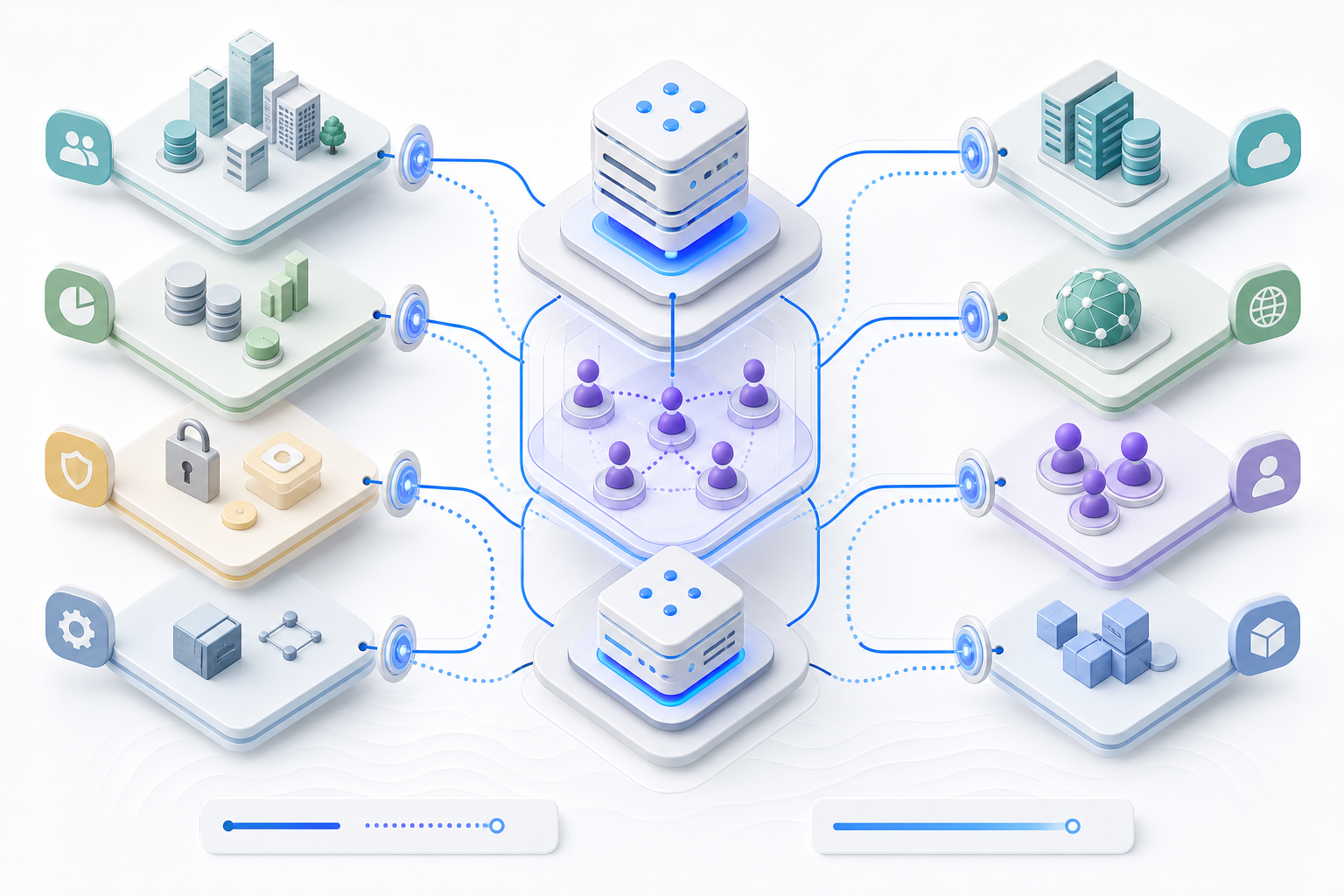
Headless 360 recommends an operating model that treats agent context as a first-class product: build a Context API team responsible for MCP servers (local + remote), an AgentOps team responsible for Agentforce agents and their lifecycle, and a Security & Compliance team that enforces transport/auth policies and audits MCP notifications.
- Context API team: owns MCP server deployments, resource schemas, and tool implementations. Pushes versioned MCP capabilities to a registry and enforces backward-compatible changes.
- AgentOps team: composes agents in Agentforce using only registered MCP tools, runs Canary agents in non-production sandboxes, and captures operational telemetry for capacity planning.
- Security & Compliance team: approves transports, audits notification streams, and validates that no sensitive context ever leaves the local MCP servers unless explicitly authorized.
Treat MCP servers like internal microservices with SLAs: availability, latency, and an explicit version matrix. Use the Headless Toolkit features in the Salesforce platform to separate the agent UI/UX from backend context access so front-end engineers are not handling credentials or data flows directly.
Quick checklist for your CIO/CTO
- Confirm a pilot scope and owner (Context API + AgentOps).
- Provision a local MCP server and register required resources (customer profile, contract snippets, product catalog) only.
- Configure Agentforce Builder to use MCP-discovered tools; require approval for any additional tool discovery.
- Set transport rules: stdio for local, Streamable HTTP with OAuth for remote.
- Audit MCP notifications centrally and integrate with platform observability.
FAQ
Q: What is MCP in plain terms?
A: MCP (Model Context Protocol) is a JSON-RPC–based protocol that lets an AI host discover and use tools and resources provided by dedicated context servers. It separates the content (tools/resources) from the transport that moves messages between agent hosts and servers.
Q: Why not just call an LLM with data in the prompt?
A: Prompting with large or sensitive dumps increases data exposure, slows iteration, and often leaves weak audit trails. MCP lets you expose only the structured resources and tool actions agents actually need, under your control.
Q: Must MCP servers be local?
A: No—MCP supports local stdio transport for single-host scenarios and Streamable HTTP for remote servers. The architecture supports a hybrid approach so you can colocate sensitive context and publish non-sensitive shared services remotely.
Q: Does this require Salesforce support or special licensing?
A: The Agentforce product pages describe Agentforce Builder, Headless Toolkit, and related platform capabilities for building agentic applications. Work with your Salesforce platform team or partner to integrate Agentforce with your MCP deployment.
References
- https://www.salesforce.com/agentforce/mcp-support/
- https://modelcontextprotocol.io/docs/learn/architecture
- https://www.salesforce.com/news/stories/
HEADLESS 360 OPPORTUNITY SESSION
Bring one workflow.
Leave with a clearer move.
KEEP READING