Agentic Enterprise / HEADLESS 360
Pilot MCP-backed Context for Agentforce: A 90-Day Enterprise Decision
A 90-day pilot plan and operating-model recommendation for integrating Model Context Protocol (MCP) with Salesforce Agentforce to centralize context, improve discovery, and accelerate agentic scalability.
THE DECISION PATH
Agentic Enterprise / operating model- 01Workflow
- 02Context
- 03Control
- 04Evidence
# Why enterprises should pilot MCP-backed context for Salesforce Agentforce now
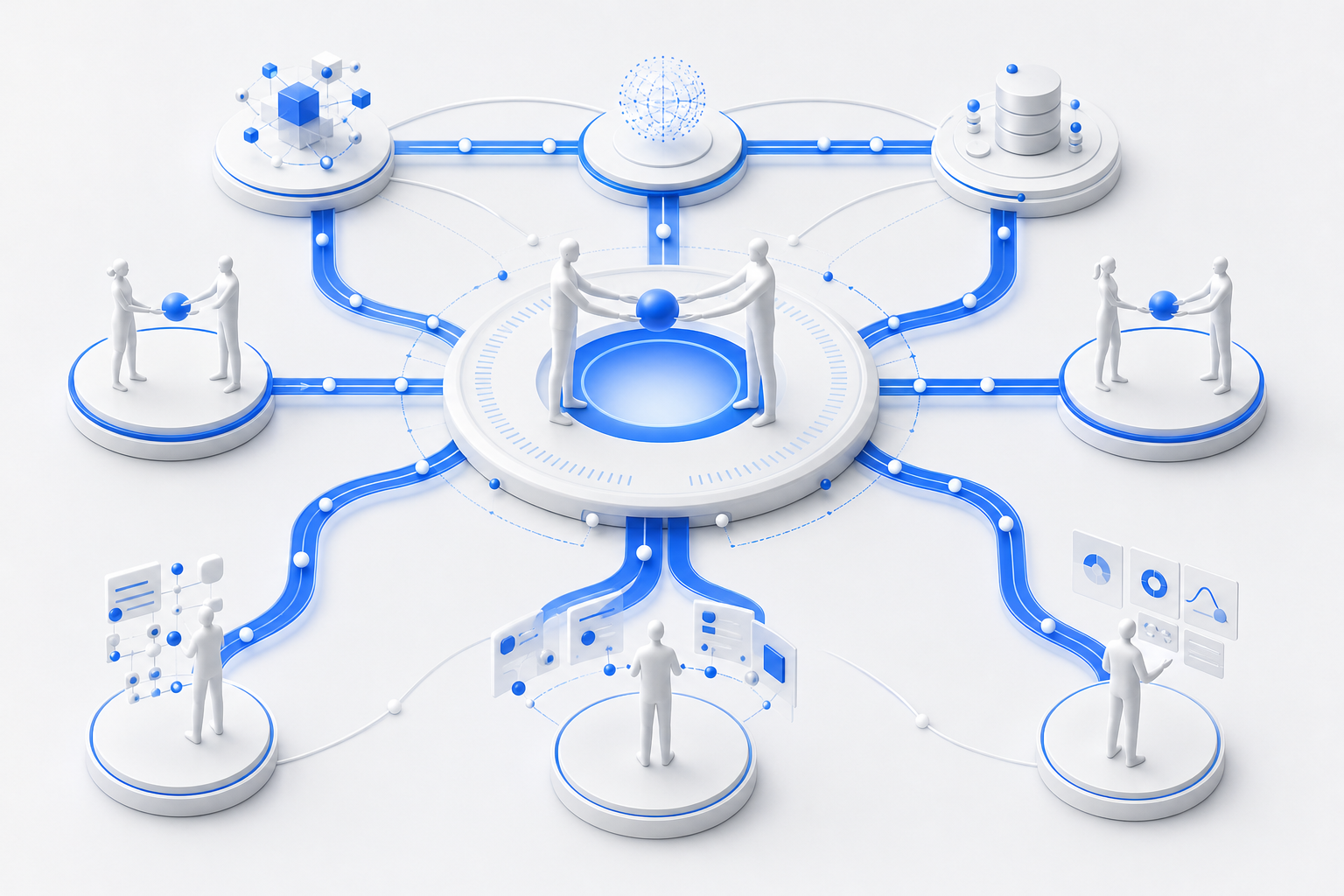
Enterprises deploying agentic features with Salesforce Agentforce confront a technical and operational choice: let each AI agent pull context in proprietary ways, or centralize context exchange around a protocol designed for multi-agent systems. The Model Context Protocol (MCP) defines a compact, transport-agnostic JSON-RPC data layer and discovery primitives that make context explicit and discoverable. Salesforce positions Agentforce as a platform of builder tools, voice, dev tooling, AgentExchange and headless toolkits to build agentic experiences and put humans and agents to work together. Combining MCP’s context model with Agentforce’s platform tooling creates a practical path to scale multi-agent operations while keeping control, observability, and governance.
This Insight gives a concrete decision for enterprise technology leaders, a short technical fit assessment, tactical steps for a 90-day pilot, and a Headless 360 operating-model point of view.
The decision (concrete)
Start a 90-day pilot to integrate a single MCP-compatible context server with a narrowly scoped Agentforce workflow (for example: contact-center triage, account intake, or returns processing). Use Agentforce Dev Tools and the Salesforce platform to host the agent runtime and UI; expose the shared context through the MCP server to the Agentforce agents and any adjacent tooling (analytics, CRM records, knowledge). Measure the pilot against the following decision criteria at 90 days and decide whether to expand:
- Context consistency: do Agentforce agents and human agents observe the same state and tool availability via discovery?
- Latency and reliability: does the MCP transport option chosen (stdio for local dev, Streamable HTTP for remote) meet SLA during peak flows?
- Governance and auditability: can you trace tool execution and resource changes through MCP notifications and the Agentforce audit trail?
- Business impact: improvement in handle time, fewer handoffs, or higher first-contact resolution as validated by your CX metrics.
If the pilot meets criteria, define a program to onboard two more use cases in the next 6 months and standardize an MCP-based context registry as part of the platform architecture.
Why this is practical now (technical fit)
- MCP is a narrowly scoped protocol for context exchange. Its data layer defines discovery, tools, resources, prompts and notifications using JSON-RPC, and its transport layer supports local stdio streams for development as well as Streamable HTTP for remote servers. That gives teams a clear migration path from single-machine prototypes to multi-tenant remote context servers.
- Salesforce Agentforce is presented as a toolkit: Builder, Voice, Dev Tools, AgentExchange and platform APIs. Those components are the natural integration surface for an MCP-based context layer — Agentforce can host agent runtimes and UI while an MCP server supplies canonical context, tool lists, and notifications.
- The combination separates responsibilities: Agentforce runs agent logic and user-facing flows; MCP servers manage discovery and canonical context for tools and resources. That separation reduces duplicated context logic across agents and simplifies governance and observability.
(References: Salesforce Agentforce product pages; Model Context Protocol architecture documentation.)
Tactical 90-day pilot plan (step-by-step)
- Scope and measurable objective (days 0–7)
- - Pick a single, high-frequency workflow (e.g., inbound support triage) with clear KPIs. Identify one or two adjacent systems (knowledge base, CRM record, order system) that must contribute context.
- Deploy a minimal MCP server (days 7–30)
- - Use a reference MCP server or your preferred implementation. Start in local mode (stdio) for rapid iteration, then expose a Streamable HTTP endpoint for load testing. Define simple discovery metadata, a small tool list, and one resource type (for example, account context).
- Adapt Agentforce agent(s) (days 14–45)
- - Use Agentforce Dev Tools and the Headless Toolkit to wire agent actions to MCP tool-execution primitives. Keep agent logic that modifies state idempotent and audited through MCP notifications.
- Run integration tests and load tests (days 30–60)
- - Validate discovery flows, tool execution, and notification subscriptions. Measure latency across transport options. Test failure modes where MCP is unreachable and define graceful degradation (cached context, human fallback).
- Pilot live traffic and measure outcomes (days 60–90)
- - Move to a controlled live pilot. Capture trace logs, notification timelines, and business KPIs. Evaluate against the decision criteria listed above.
- Review and decide (day 90)
- - If the pilot meets the success criteria, prepare a rollout roadmap and a target architecture that includes an MCP registry, authentication (OAuth recommended by MCP), and an operations playbook.
Headless 360 operating-model point of view
Headless 360 recommends treating an MCP-backed context layer as a first-class platform capability. Operationally that means:
- Platform engineering owns the MCP registry and runtime as a product with SLAs, onboarding, and observability.
- Use case teams focus on agent behavior and UX composition within Agentforce, not on building bespoke context plumbing.
- A single source of truth for discovery reduces accidental divergence between agents, analytics tooling, and human operators.
- Security and privacy controls (token lifecycles, scoped credentials) must be enforced at the transport boundary — MCP explicitly supports Streamable HTTP with standard auth patterns.
This model reduces duplicated integration work, accelerates the pace of adding new agents, and preserves central controls for audit, governance, and compliance.
Risks and mitigation
- Risk: Tight coupling between MCP server and agents can create a single point of failure. Mitigate: enforce graceful degradations (local caches) and multi-region MCP replicas.
- Risk: Team unfamiliarity with JSON-RPC discovery. Mitigate: start with a minimal schema, strong changelog discipline, and a developer sandbox.
- Risk: Security misconfiguration on remote transport. Mitigate: require OAuth token workflows and short-lived credentials, and embed security checks into the onboarding checklist.
Concise FAQ
Q: Is MCP a replacement for Salesforce APIs?
A: No. MCP is a protocol for context exchange and discovery among agent runtimes and tool servers. In practice you will use MCP alongside Salesforce APIs — MCP supplies canonical context and discovery while Agentforce and Salesforce APIs provide CRM data and execution surfaces.
Q: Do I need to rewrite existing agents to use MCP?
A: Not necessarily. For a pilot, wrap an MCP adapter around existing agent tool calls so discovery and context subscription can be provided incrementally.
Q: Which transport should we use first?
A: Start with stdio for local development and deterministic debugging; move to Streamable HTTP (with proper auth) for remote and multi-tenant scenarios.
Q: Will this work for voice and contact-center flows?
A: Yes — Agentforce includes voice capabilities and the MCP model supports notifications and long-running operations. Validate latency and fallbacks in your pilot.
References
- https://www.salesforce.com/agentforce/mcp-support/
- https://modelcontextprotocol.io/docs/learn/architecture
HEADLESS 360 OPPORTUNITY SESSION
Bring one workflow.
Leave with a clearer move.
KEEP READING